If you can't connect to VPN after a cliche Windows Update, Just Uninstall VPN Tool (such as OpenVPN, Sophos etc.) andt install it. It will work, Thank you Windows for providing a traditional bug and a solution for us!
Example Error from VPN Client:
Thu Dec 07 20:59:03 2017 MANAGEMENT: Client disconnected
Thu Dec 07 20:59:03 2017 There are no TAP-Windows adapters on this system. You should be able to create a TAP-Windows adapter by going to Start -> All Programs -> TAP-Windows -> Utilities -> Add a new TAP-Windows virtual ethernet adapter.
Thu Dec 07 20:59:03 2017 Exiting due to fatal error
Dec 7, 2017


Myths and Facts of the Unity Game Engine
Unity is only for games
It’s a myth. Of course Unity has been created as a game engine, but it’s so flexible that it is successfully being used in other industries, such as architecture, medicine, and engineering. For an example, see 3RD Planet.It is the largest online consumer event platform, showcasing the top tourist destinations in each country with Unity 3D.

Another example is The Coherentrx Suite.
CoherentRx is a suite of point-of-care patient education applications that combine realtime 3D anatomy models with HIPAA-compliant doctor-patient messaging. CoherentRx apps currently address ten medical specialties, from orthopedics to opthalmology.In the Unity Showcase there’s a separate category for non-game applications. Check it out yourself!
Unity is free
It’s a myth, but not entirely. You can download Unity for free. The free (personal) version of Unity has all the features that Unity Professional has (with some small exceptions). When your game is ready, you can publish it and make money out of it! It’s just like that! But if at one point your company exceeds a turnover of $100,000, then you are obligated to purchase the Unity Professional license. It’s not too expensive at that point, because the cost is $1500 US dollars. Sounds really cheap when compared to $100,000, doesn’t it?The difference between free license and pro license is that in the former one mobile games and web games display a Unity logo for few seconds on startup. It’s not a big deal, but as a professional game developer you may want to get rid of it sometime in the future. Also, you aren’t allowed to use Unity editor pro skin and Cache Server.
You can only do small games with Unity
It’s a myth. The reason why there are so many small games created in Unity is that it is very indie-friendly. Unity does not constrain your game size in any way. You can create a clone of World of Warcraft if you really want to! All scenes can be loaded and merged in the run-time, so player won’t see any loading screens while playing. It’s also not true that Unity performance degrades when you have too much objects on your scene. Of course you have to optimize it in a special way. So it’s all about the experience.One of the greatest examples of a large-scene and well-optimized Unity game is City Skylines.
Unity is worse than Unreal Engine
It’s a myth, but it really depends on what are your needs (it’s not worse in general). Unity has been always compared to Unreal Engine because the latter always had the upper hand in game development industry. Today the situation is a little different. While Unreal Engine was targeting PC and stationary consoles, Unity took its chances with mobile devices. Unreal was always about big games with stunning visuals, but this approach made it more difficult to learn and use. Unity on the other hand is based on the Mono platform. Thanks to that you can program your games using C# instead of C++ which is quite difficult to learn.
You don’t need programming knowledge to use Unity
It’s a fact. It’s easier when you have at least some programming knowledge, but you can easily build a complete game without it. One of the most popular editor extensions on the Asset Store is Playmaker. Playmaker allows you to build finite-state machines that will drive your entire game logic, and it does it well! If you need a good reference, then Dreamfall Chapters is a damn good one!
Because of this fact many people may consider Unity as a toy rather than a serious tool for creating games. The truth is that Unity can be used by everyone, regardless of your skills!
You cannot spawn threads in Unity
Again, it’s a myth. Many people are confusing Unity coroutines with threads. Let’s get this straight: Coroutines have nothing to do with threads. Coroutine is only a way to delay code execution without too much effort. It’s really a great method of writing game code when some routines are needed to be executed in sequence over a time (like animations), but everything is still done in a single thread.Yet you can create threads in Unity. You will not find too much about it in the official documentation, because there’s not much to be said. All you need to know is that Unity API is not thread safe, but it is a good thing! To learn more about how to use threads in Unity please read our article about threads.
All Unity games looks the same
It’s a myth, of course. Every developer who decides to use one game engine or another is asking himself a question how this game engine will help him and how it will constrain his ideas. Unity is quite interesting because it’s easy to learn and hard to master. Yet if you will master it you will realize that you can do almost anything with it! You can even create your own game engine within! If you’re still wondering if Unity constrains your creativity, stop right now. It doesn’t!You need to know that many of Unity components (like physics) can be replaced by anything you want. There’s no requirement of Unity game using components provided by Unity. This is a great deal if you have very specific needs.
Unity has a lot of bugs
It’s a fact. Since Unity 5 the developers were rushing forward with new features, but with a cost of stability. On GCD 2016 current Unity CEO John Riccitiello announced that Unity will take a road of increasing Unity releases’ quality. At the time Unity 5.3.4 has been released and Unity 5.4 entered a beta stage. Let’s hope for the best, because we all need a tool that is as stable as possible, and lately there was a serious fear of upgrading to a new release that could be heard in Unity community.REFERENCE: http://blog.theknightsofunity.com/myths-and-facts-of-unity-game-engine/
You don’t need that comment!
Let’s talk about programming. Since you’re a Unity developer then most probably you had to do some programming, unless you use Playmaker
or something similar. As a programmer you most probably want your code
to be as readable as possible, because sooner or later you will have to
work on it knowing why you’ve done something in a particular way. What
is your method of making your code more readable? Do you use in-code
comments? If yes, you’re doing it terribly wrong.
Why do I state that using comments is bad?
And let’s say someone will refactor it:
The person who did the refactoring replaced 60 seconds with PlayTime
field and then made it 120. It’s a common “mistake” to leave the
comment. Even if the comment would be updated, anyone who will change
the PlayTime value won’t be aware of a comment in Update() function that is now lying to us.
Now I’d like to show you some real scenarios in which comments were used, as well as how it can be improved and why.
First of all you should know that using short variable names won’t
make your application faster. It only will make your code less
readable. Always remember to use meaningful variable names. “Meaningful”
does not mean long, so if you want to use a short version of variable
name, you are allowed to do so, provided that it can be easily decoded
(pointer -> ptr, texture -> tex). Using too long variable names
can easily backfire with code that is too bloated, so you have to
make compromises.
Note that we not longer need the comment because playerToEnemyDist variable name tells us enough about what we’re doing in that line.
One more note about variable names: for loops are frequently using a counter variable. It’s perfectly legal to use “i” or “j” as a counter name since it is widely used style of naming. The same applies for “x”, “y” and “z” while we’re making operations on coordinates.
Please note two things:
How you can tell if the poison is a secondary attack without a
comment? Well, you cannot. This scenario is a good example where a
comment is really needed. Still, if enemy’s class is something that you
can refactor, consider using a struct instead of raw parameters:
So our code may finally look like this:
Still, if you feel that a comment is really needed and there’s nothing else to do – go ahead! There are situations where you cannot do much about it. Yet remember that the information in your comments may someday become outdated, so keep it simple and safe.
REFERENCE: http://blog.theknightsofunity.com/you-dont-need-that-comment/
Why comments are bad
You may now think of me as of an idealist. Thinking of a world without conflicts, religion, etc. Well, it’s nothing like that. Every source code requires more or less comments, but in most cases, when you may want to write one, most probably there’s a better solution.Why do I state that using comments is bad?
Comments can get quickly outdated
Consider this piece of code:Comments need to be read along with the code
Isn’t this a purpose of comments existence? Well it actually it is, but if there’s a comment then it means that reader needs more time to get through the code because he or she needs to analyze code and all the comments. It’s not only the matter of how much there’s to read – code that needs a comment can be understood only when reader can get understanding of a comment – so there’s as twice as much things to analyze.Now I’d like to show you some real scenarios in which comments were used, as well as how it can be improved and why.
Use meaningful variable names
Something so obvious, yet frequently ignored. How often did you stumble upon variable names like a, b, x2, etc.? Let’s take this code example:One more note about variable names: for loops are frequently using a counter variable. It’s perfectly legal to use “i” or “j” as a counter name since it is widely used style of naming. The same applies for “x”, “y” and “z” while we’re making operations on coordinates.
Do not use magic numbers
“Magic” numbers are numerical values that exists inside methods and it may be difficult to know why these numbers are set in a particular way. Magic numbers should be extracted into variables, fields or even class constants with meaningful names.Do not explain ifs
If you have an if statement and it may be not clear what it does and why, you may be temped to make a comment to that statement. Before you do, think of extracting your if () condition (what’s inside) into a meaningfully-named method.- By extracting if condition we could move distance calculations into a separate method so Update() function has much less code to read now.
- EnemyIsNearPlayer() function name is self-descriptive. We do not need a comment here.
Watch out for function parameters
See this code?Summary
At first glance it may look like producing more code instead of using comments for much simpler code, but trust me – this will greatly make you and your colleagues’ life much better in the long run.Still, if you feel that a comment is really needed and there’s nothing else to do – go ahead! There are situations where you cannot do much about it. Yet remember that the information in your comments may someday become outdated, so keep it simple and safe.
REFERENCE: http://blog.theknightsofunity.com/you-dont-need-that-comment/
7 Ways to Keep Your Unity Project Organized
saw a person on Quora the other day, asking how programmers are able
to write projects that consist of over 10,000 lines of code. When
software gets bigger, it is more difficult to maintain and that’s a
fact. So here’s the thing – if you don’t keep your project organized,
you’re going to have a hard time to keep the pace. Later on, you will
find yourself wasting time with a messy project instead of adding new
features. This is also true regarding any Unity Project. Here are (in my
opinion) the most important tips that will help you with keeping your
project organized.
The reason why you should use prefabs is that when a prefab changes, all the instances change too. Have 100 levels and want to add a camera effect on all of them? Not a problem! If your camera is a prefab, just add a camera effect to the camera prefab!
Be aware that you cannot have a prefab in another prefab. Use links instead – have a field that requires a prefab to be assigned and make sure to assign it when instance is created. Consider auto-connecting prefab instances in Awake() or OnEnable() when it makes sense.
 You
may already know something about GIT, Subversion or any other VCS out
there. As a matter of fact, “knowing something” is only a small piece of
what you may learn. You should focus on learning about important but
infrequently used features of VCS of your choice. Why? Mostly because
VCS systems are much more powerful that you think, and unfortunately
many users are using these as nothing more than a backup and
synchronized solutions. For example, did you know that GIT allows you to
stash your changes, so you can work on them later without committing
anything to your master branch?
Programmers tend to comment out blocks of code in case it’s needed later. Don’t do that! If you’re using VCS learn how to quickly browse previous versions of a file. When you are familiar with it, your code looks a lot nicer without unnecessary block of commented code.
Here’s a nice resource of tips for GIT users: http://gitready.com/
Generally you should write cheats that will allow you to:
REFERENCE: http://blog.theknightsofunity.com/7-ways-keep-unity-project-organized/
1. Directory Structure
We cannot talk about organization without mentioning organizing project directory structure. Unity gives you a total freedom in that matter, but because of that, it can frequently get really messy. This is the directory structure I personally use:- 3rd-Party
- Animations
- Audio
- Music
- SFX
- Materials
- Models
- Plugins
- Prefabs
- Resources
- Textures
- Sandbox
- Scenes
- Levels
- Other
- Scripts
- Editor
- Shaders
- Do not store any asset files in the root directory. Use subdirectories whenever possible.
- Do not create any additional directories in the root directory, unless you really need to.
- Be consistent with naming. If you decide to use camel case for directory names and low letters for assets, stick to that convention.
- Don’t try to move context-specific assets to the general directories. For instance, if there are materials generated from the model, don’t move them to Materials directory because later you won’t know where these come from.
- Use 3rd-Party to store assets imported from the Asset Store. They usually have their own structure that shouldn’t be altered.
- Use Sandbox directory for any experiments you’re not entirely sure about. While working on this kind of things, the last thing that you want to care about is a proper organization. Do what you want, then remove it or organize when you’re certain that you want to include it in your project. When you’re working on a project with other people, create your personal Sandbox subdirectory like: Sandbox/JohnyC.
2. Scene hierarchy structure
Next to the project’s hierarchy there’s also scene hierarchy. As before, I will present you a template. You can adjust it to your needs.- Management
- GUI
- Cameras
- Lights
- World
- Terrain
- Props
- _Dynamic
- All empty objects should be located at 0,0,0 with default rotation and scale.
- When you’re instantiating an object in runtime, make sure to put it in _Dynamic – do not pollute the root of your hierarchy or you will find it difficult to navigate through it.
- For empty objects that are only containers for scripts, use “@” as prefix – e.g. @Cheats
3. Use prefabs for everything
Prefabs in Unity are not perfect, but they are the best thing you will find to share pre-configured hierarchies of objects. Generally speaking, try to prefab everything that you put on your scenes. You should be able to create a new level from an empty scene just by adding one or more prefabs to it.The reason why you should use prefabs is that when a prefab changes, all the instances change too. Have 100 levels and want to add a camera effect on all of them? Not a problem! If your camera is a prefab, just add a camera effect to the camera prefab!
Be aware that you cannot have a prefab in another prefab. Use links instead – have a field that requires a prefab to be assigned and make sure to assign it when instance is created. Consider auto-connecting prefab instances in Awake() or OnEnable() when it makes sense.
4. Learn how to use version control system (VCS)
You
may already know something about GIT, Subversion or any other VCS out
there. As a matter of fact, “knowing something” is only a small piece of
what you may learn. You should focus on learning about important but
infrequently used features of VCS of your choice. Why? Mostly because
VCS systems are much more powerful that you think, and unfortunately
many users are using these as nothing more than a backup and
synchronized solutions. For example, did you know that GIT allows you to
stash your changes, so you can work on them later without committing
anything to your master branch?Programmers tend to comment out blocks of code in case it’s needed later. Don’t do that! If you’re using VCS learn how to quickly browse previous versions of a file. When you are familiar with it, your code looks a lot nicer without unnecessary block of commented code.
Here’s a nice resource of tips for GIT users: http://gitready.com/
5. Learn to write editor scripts
Unity is a great game engine in the matter of extensibility (see Asset Store). Learn how to write editor scripts and utilize this knowledge. You don’t necessary need to create fancy GUI for your scripts, it can be something simple, as menu entries that are doing something useful. Here are some examples of editor scripts that I have created not so long ago:- Google Sheets .csv download – I had a translation spreadsheet saved on Google Drive. It automatically downloaded the newest version as .csv file, so I never had to do it manually.
- Randomize the position, rotation and size of trees – I had a lot of trees and wanted it to look more like a forest than a grid.
- Create distribution – Built for specified target, zips all the files and copy to the right place.
- String replace in the sources – I had several files that contained the application version.
6. Learn to program defensively
Have you heard about defensive programming? Wikipedia defines it as follows:Defensive programming is a form of defensive design intended to ensure the continuing function of a piece of software under unforeseen circumstances. Defensive programming techniques are used especially when a piece of software could be misused.Generally when you’re writing MonoBehaviours, you should make sure that:
- All needed references are set
- All required components are present
- If you’re using singletons, make sure that they exists
- If you’re searching for objects and expect to find something, do it as fast as possible
- Mix-in editor code (ExecuteInEditMode and #if UNITY_EDITOR) to do as many checks as possible before you run the scene
7. Implement in-editor and/or in-game cheats
After you learn how to write editor script, you should be able to write a set of in-editor cheats. It can work as menu entry that unlocks something (all levels for instance). It’s really easy to create:- Unlock all levels, characters, items etc
- Give you immortality
- Add/subtract values like time, money, coins etc
- Allow you to see things not meant to be seen by players
- Anything else that will help you with testing your game
REFERENCE: http://blog.theknightsofunity.com/7-ways-keep-unity-project-organized/
Nov 23, 2017
How to create scrollable dynamic text in Unity 5.x
In this tutorial, i will show you how to make scrolling content in unity and how to set content for scrollable textarea.
REFERENCE: http://sawit.net/how-to-create-scrollable-dynamic-text-in-unity-5.html
Nov 22, 2017
Output Structs for Unity Shaders Used in Unity 5.x
The way shaders allow you to communicate the rendering properties of your material to their lighting model is via a surface output. It is basically a wrapper around all the parameters that the current lighting model needs. It should not surprise you that different lighting models have different surface output structs. The following table shows the three main output structs used in Unity 5 and how they can be used:

The SurfaceOutput struct has the following properties:
The SurfaceOutput struct has the following properties:
- fixed3 Albedo;: This is the diffuse color of the material
- fixed3 Normal;: This is the tangent space normal, if written
- fixed3 Emission;: This is the color of the light emitted by the material (this property is declared as half3 in the Standard Shaders)
- fixed Alpha;: This is the transparency of the material
- half Specular;: This is the specular power from 0 to 1
- fixed Gloss;: This is the specular intensity
- fixed3 Albedo;: This is the base color of the material(whether it’s diffuse or specular)
- fixed3 Normal;
- half3 Emission;: This property is declared as half3, while it was defined as fixed in SurfaceOutput
- fixed Alpha;
- half Occlusion;: This is the occlusion (default 1)
- half Smoothness;: This is the smoothness (0 = rough, 1 = smooth)
- half Metallic;: 0 = non-metal, 1 = metal
- fixed3 Albedo;.
- fixed3 Normal;.
- half3 Emission;.
- fixed Alpha;.
- half Occlusion;.
- half Smoothness;.
- fixed3 Specular;: This is the specular color. This is very different from the Specular property in SurfaceOutput as it allows specifying a color rather than a single value.

Subscribe to:
Posts (Atom)
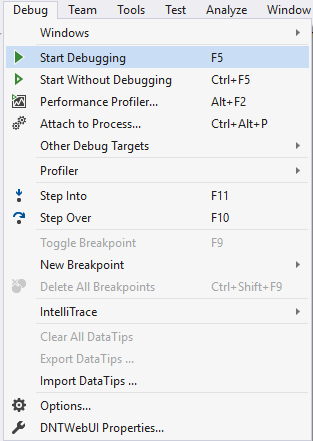
Visual Studio Keyboard Shortcuts
Playing with keyboard shortcuts is very interesting and reduce the headache of using the mouse again and again while programming with visu...
-
A quick reference for working with AGAL, the new shader language for use with Stage3D introduced with Flash Player 11. Registers: Each r...
-
 The Linux file system is the structure in which all the information on your computer is stored.Files are organized within a hierarchy of dir...
-
http://www.dgp.toronto.edu/~rms/links.html Papers Ke-Sen Huang's comprehensive and invaluable Conference Paper Link Archive Mesh Libra...